
When you spend around $100 on a mouse, expectations are high. Logitech’s MX Master series has long set the gold standard for premium wireless mice, and the Logitech MX Master 3S Wireless Mouse Specs is no exception. Combining an upgraded sensor, whisper-quiet clicks, and unmatched ergonomics, this device has cemented its place as the leading productivity mouse in the U.S. market.
As someone who has tested countless accessories over the past decade, I can confidently say that the Logitech MX Master 3S delivers on nearly every front. In fact, TaoThich Review calls it “the definitive choice for professionals who want power and comfort in a single package.”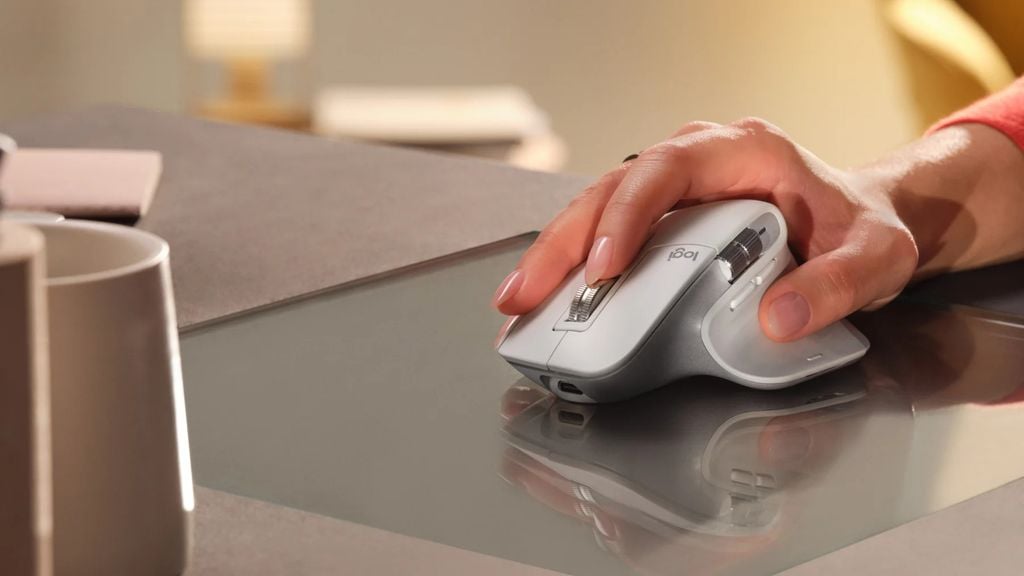
Let’s dive deep into the full breakdown of the Logitech MX Master 3S Wireless Mouse specs, features, and real-world performance.
Mục lục bài viết
- First Impressions: Premium Feel and Familiar Design
- Upgraded Darkfield Sensor: Precision at 8,000 DPI
- Silent Clicks, Softer Feel
- Dual Scroll Wheels: Vertical Speed Meets Horizontal Control
- Gesture Button: Unlocking Four Extra Commands
- Connectivity: Bolt Receiver and Multi-Device Mastery
- Battery Life and Fast Charging
- Logi Options+ Software: Endless Customization
- Comfort That Lasts All Day
- Logitech MX Master 3S Wireless Mouse Specs (Full Breakdown)
- Who Should Buy the MX Master 3S?
- The Competition: Why the 3S Stands Out
- Verdict: The Best Productivity Mouse on the Market
- Final Thoughts
First Impressions: Premium Feel and Familiar Design
At first glance, the MX Master 3S doesn’t reinvent itself compared to the MX Master 3. It maintains the same curvy, sculpted shape tailored specifically for right-handers. The dimensions remain 4.9 x 3.3 x 2 inches, and the mouse weighs just about 5 ounces—a sweet spot for desk comfort without feeling flimsy.
Available in graphite, black, or pale gray, the mouse uses 22% to 27% recycled plastic depending on color choice. The build feels solid and premium, with every button precisely placed for long sessions of scrolling, editing, or browsing.
While it isn’t branded as an “ergonomic mouse,” the hand support is excellent. The slightly tilted thumb rest, combined with strategically placed side buttons and the secondary scroll wheel, makes it feel natural within seconds of use.
Upgraded Darkfield Sensor: Precision at 8,000 DPI
The biggest technical leap in the Logitech MX Master 3S Wireless Mouse specs comes from its enhanced Darkfield sensor, which now supports up to 8,000 DPI—a big jump from the previous 4,000 DPI.
Why does this matter? For professionals working across 4K and ultra-wide monitors, or multi-display setups, higher DPI means smoother, faster navigation with less effort. You can move your cursor across massive screen real estate with just a flick of your wrist.
Unlike gaming mice that boast extreme 16,000+ DPI sensors, Logitech balances sensitivity with control, making 8,000 DPI the perfect number for productivity, design, and editing tasks.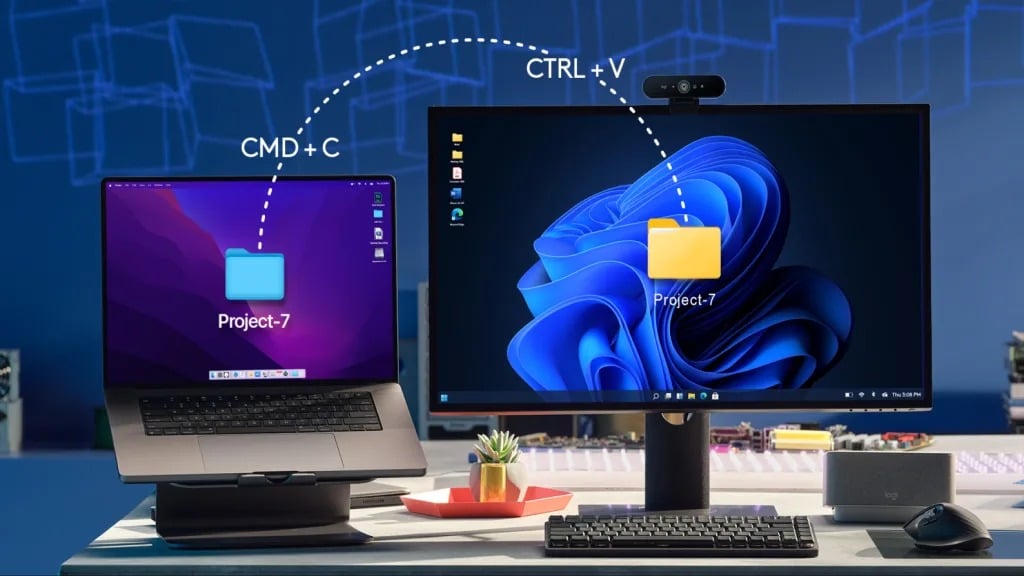
Silent Clicks, Softer Feel
Logitech claims the MX Master 3S delivers 90% quieter clicks compared to the MX Master 3, and the difference is noticeable. The left and right buttons feel softer, nearly silent, yet still responsive.
If you enjoy firm tactile clicks, you might miss the feedback of the MX Master 3. However, for shared office spaces, late-night editing, or quiet environments, this upgrade is a game-changer.
Dual Scroll Wheels: Vertical Speed Meets Horizontal Control
The Logitech MX Master 3S Wireless Mouse specs highlight its dual scroll wheel system:
- Electromagnetic MagSpeed wheel (top) – This chrome wheel adapts automatically to your scrolling speed. Flick it gently for precise line-by-line scrolling, or spin it fast for free-flowing navigation across hundreds of rows or web pages in seconds.
- Side horizontal scroll wheel (left side) – Perfect for spreadsheets, timelines in Adobe Premiere, or wide documents. It pairs with two customizable side buttons, giving editors and creators intuitive control.
Together, these wheels add unmatched versatility, letting you multitask without constantly reaching for keyboard shortcuts.
Gesture Button: Unlocking Four Extra Commands
Beneath the thumb rest lies a subtle gesture button. Press and hold it while moving the mouse in four directions (up, down, left, right), and you unlock up to four additional customizable functions.
This is where Logi Options+ software comes into play, allowing you to map gestures to actions like switching desktops, snapping windows, or activating specific tools in Photoshop.
Connectivity: Bolt Receiver and Multi-Device Mastery
The MX Master 3S offers two connection options:
- Bluetooth Low Energy – Works seamlessly with Windows, macOS, and even tablets.
- Logi Bolt USB Receiver – A 2.4GHz link offering lower latency and better stability, especially useful in crowded office environments.
You can pair the mouse with up to three devices simultaneously. Switching between them is as easy as pressing the small button on the bottom. Combined with Logitech Flow, you can move your cursor across multiple systems—even between Mac and Windows—and copy/paste files like magic.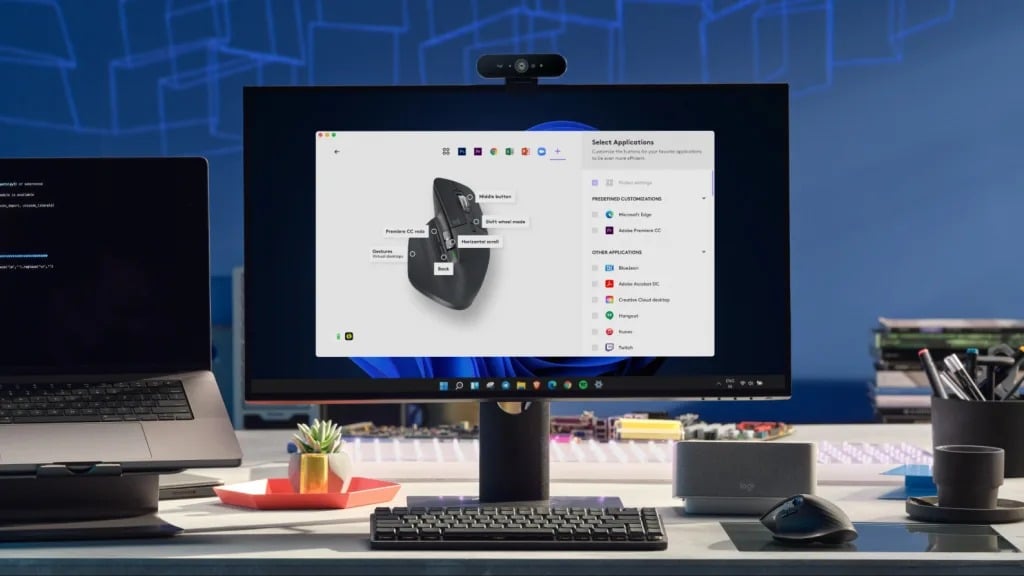
The only drawback? Logitech didn’t include a storage slot for the receiver, which can be inconvenient for travelers.
Battery Life and Fast Charging
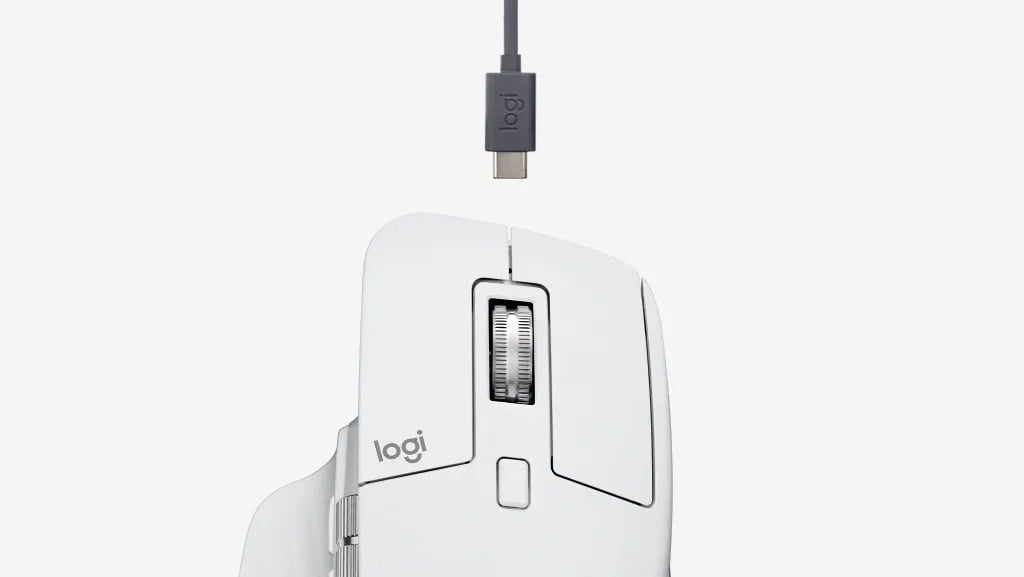
Inside the MX Master 3S is a rechargeable lithium battery charged via USB-C. Logitech claims:
- 1 minute of charging = 3 hours of use
- Full charge = up to 70 days of use
In real-world testing, heavy daily users typically recharge every 15–20 days. Still, this is far more convenient (and eco-friendly) than swapping disposable batteries.
Logi Options+ Software: Endless Customization
The real power of the MX Master 3S comes alive with Logi Options+, Logitech’s advanced customization software.
- Button Remapping: Assign functions like copy, paste, zoom, or specific macros.
- App-Specific Profiles: Tailor button behavior for different apps (Photoshop, Premiere Pro, Microsoft Office, browsers).
- Workflow Automation: Switch desktops, control volume, or launch apps with ease.
This flexibility ensures the mouse adapts to your workflow—not the other way around.
Comfort That Lasts All Day
The curved wing design of the MX Master 3S reduces wrist strain, while the slightly angled hand posture mimics natural positioning. After hours of use, the comfort factor becomes clear.
Whether you’re editing for eight hours straight or juggling spreadsheets and presentations, this mouse eliminates the fatigue often associated with flat or compact mice.
TaoThich Review puts it simply: “Once your hand rests on the MX Master 3S, you won’t want to let go.”
Logitech MX Master 3S Wireless Mouse Specs (Full Breakdown)
Here’s the complete spec sheet for quick reference:
- Sensor Type: Darkfield high-precision sensor
- DPI Range: 200 – 8,000 DPI (adjustable)
- Buttons: 7 standard (plus gesture button functions)
- Scroll Wheels: 2 (vertical MagSpeed, horizontal side wheel)
- Connectivity: Bluetooth Low Energy, Logi Bolt USB Receiver
- Multi-Device: Supports up to 3 devices with Easy-Switch
- Compatibility: Windows, macOS, Linux, ChromeOS, iPadOS
- Battery Life: Up to 70 days per charge
- Charging: USB-C fast charge (1 min = 3 hrs use)
- Dimensions: 4.9 x 3.3 x 2.0 inches
- Weight: ~5 ounces
- Materials: 22%–27% recycled plastic (depending on color)
- Colors: Graphite, Black, Pale Gray
Who Should Buy the MX Master 3S?
- Professionals: Designers, video editors, and programmers will love the dual scroll wheels and app-specific profiles.
- Remote Workers: Multi-device support is perfect for switching between a laptop, tablet, and desktop.
- Productivity Enthusiasts: Anyone who values efficiency and customization will find the MX Master 3S indispensable.
Who may want to look elsewhere? Left-handed users (since it’s only designed for right-handers) and hardcore gamers who need ultra-high polling rates may prefer other options.
The Competition: Why the 3S Stands Out
- Logitech MX Vertical: Great for ergonomics, but fewer buttons and less flexibility.
- Apple Magic Mouse: Sleek but lacks depth in features and comfort.
- Gaming Mice: Offer higher DPI, but often sacrifice ergonomics and productivity features.
The MX Master 3S strikes the perfect balance between comfort, customization, and cutting-edge features, making it hard to beat.
Verdict: The Best Productivity Mouse on the Market
At $99.99, the Logitech MX Master 3S isn’t cheap—but it delivers unmatched value for professionals and productivity-driven users. Between its 8,000 DPI sensor, dual scroll wheels, quiet clicks, and endless customization, it stands as the benchmark in wireless mouse technology.
Until we control computers with our minds, this is as good as it gets.
Final Thoughts
The Logitech MX Master 3S Wireless Mouse specs prove why this device dominates the productivity category. Its thoughtful design, powerful software, and seamless performance make it a must-have tool for anyone who spends long hours at a computer.
In today’s market, where efficiency and comfort are non-negotiable, the MX Master 3S shines as the undisputed king.